For users accustomed to centralized exchanges (CEX), first encountering on-chain perpetual contracts may seem daunting. However, with the Binance app already on your phone, you can seamlessly start trading on Hyperliquid in just 3 minutes and bind the exclusive 4% commission rebate benefit from AiCoin.
Here is a step-by-step tutorial to get you on board quickly!
Step 1: Prepare the Binance APP
Make sure you have the latest version of the Binance APP installed on your phone and that you are logged into your account.
*Note: If you already use the Binance Web3 wallet, you can skip to step three directly.*
Step 2: Create a Binance Web3 Wallet (Skip if you already own one)
Hyperliquid is a decentralized exchange (DEX) that requires connection through a crypto wallet. The Binance APP has a very secure and convenient built-in Web3 wallet, which we can use directly.
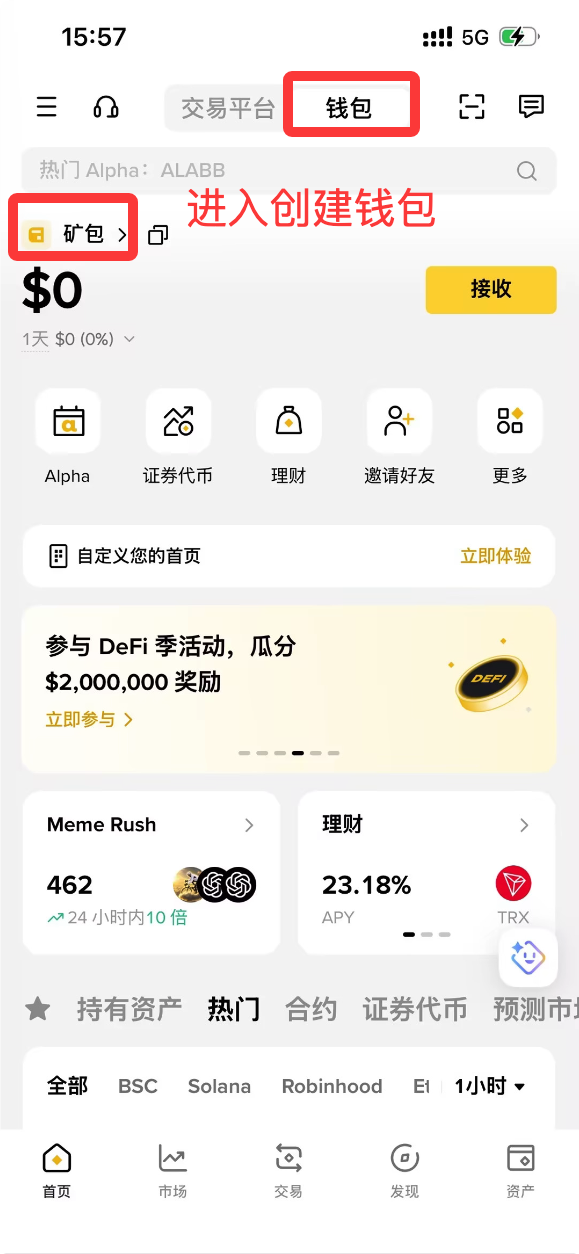
1. Open the Binance APP and locate and click on 【Wallet】 in the top navigation bar on the homepage.
2. On the wallet page, click to enter the wallet creation page.

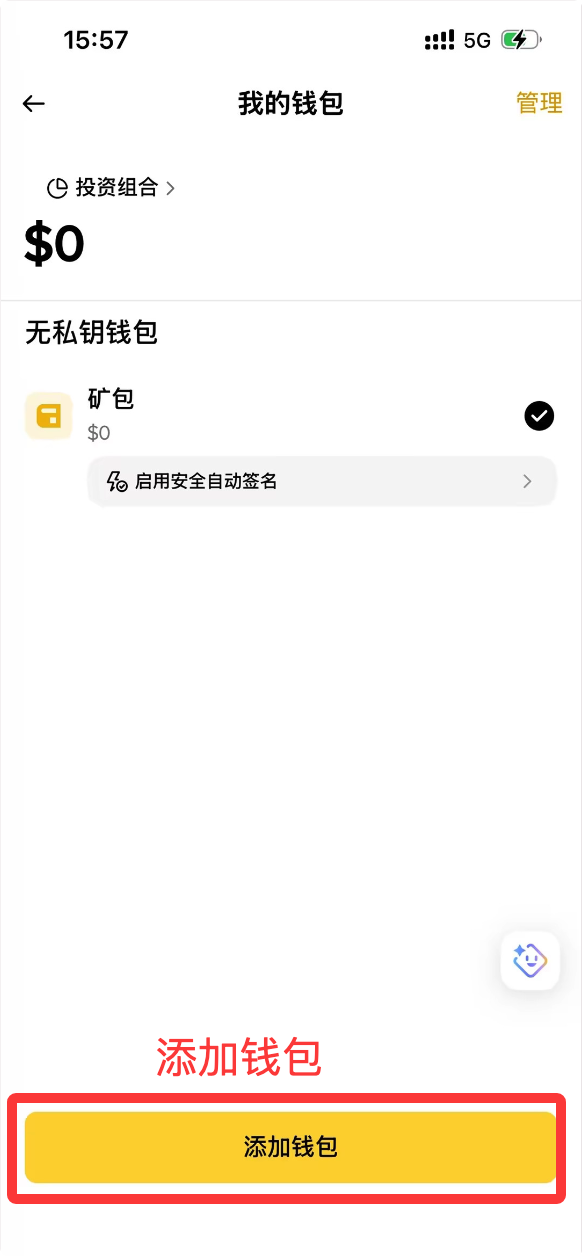
3. Click the 【Add Wallet】 yellow button at the bottom of the page.

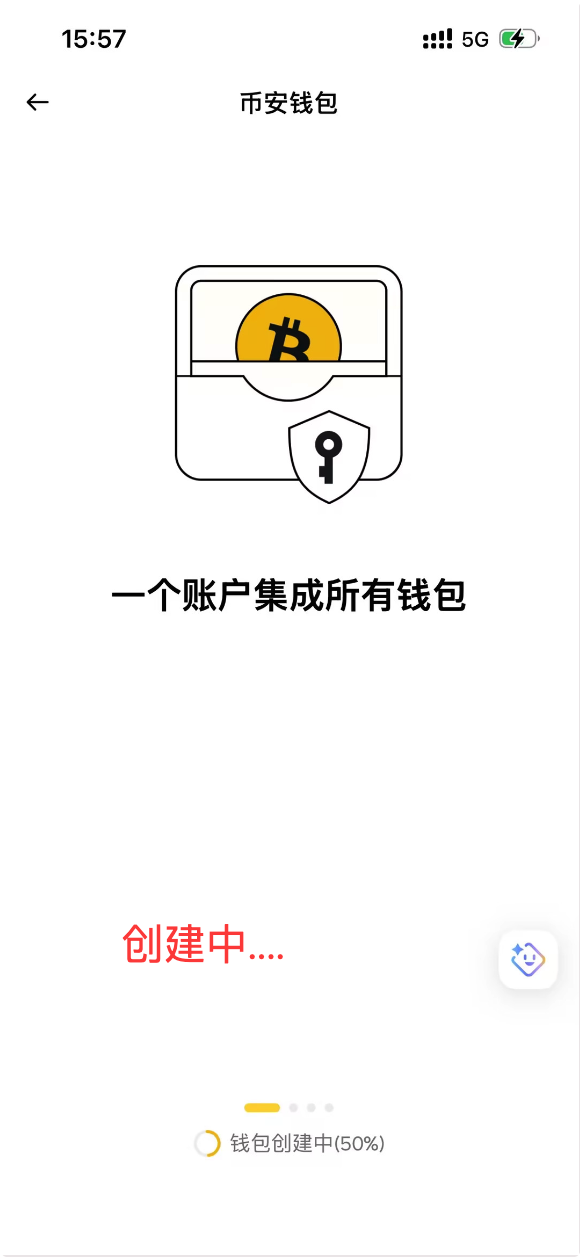
4. The system will prompt "One account integrates all wallets," patiently wait for the system to create automatically.

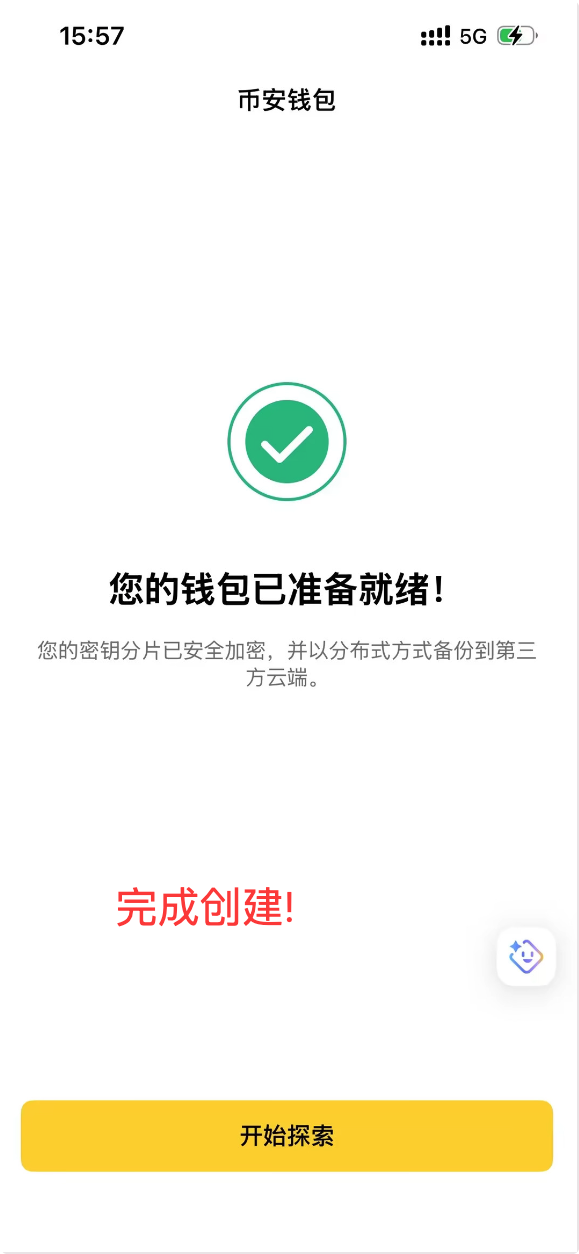
5. Once you see the green checkmark icon and the message 【Your wallet is ready!】, click 【Start Exploring】 to complete the creation. Your private key shards have been securely encrypted and backed up.

Step 3: Bind Rebate Benefits Through Exclusive Link
This is the most critical step! There are no rebate benefits when accessing the official website directly; you must enter through the exclusive link to activate the 4% fee reduction.
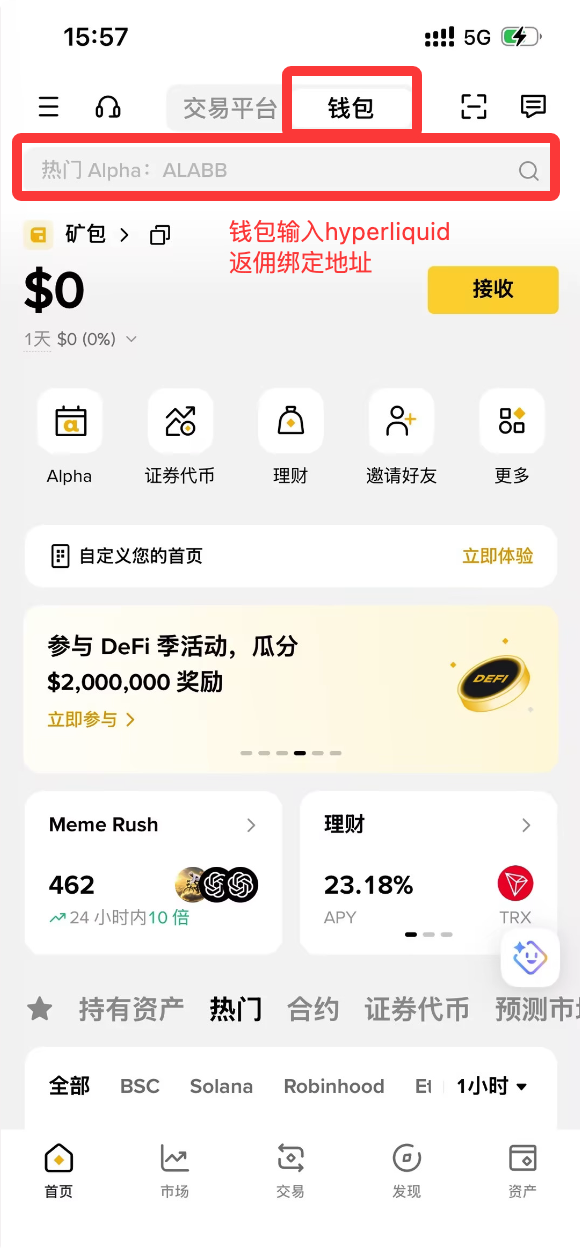
1. On the homepage of the Binance wallet, find the top search box (magnifying glass icon).

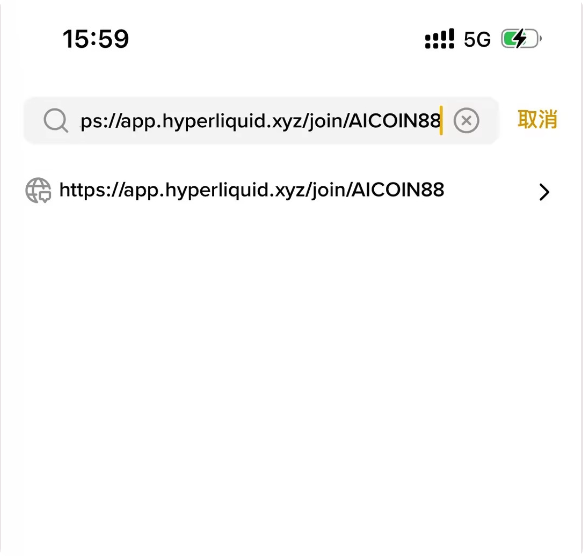
2. In the search box, copy and paste the following exclusive benefit link:
https://app.hyperliquid.xyz/join/AICOIN88
3. Once you confirm the URL is correct, press enter on your keyboard or click the link that pops up below to enter.

Step 4: Connect Wallet and Activate Benefits
After entering the Hyperliquid page, follow the steps below to complete the binding:
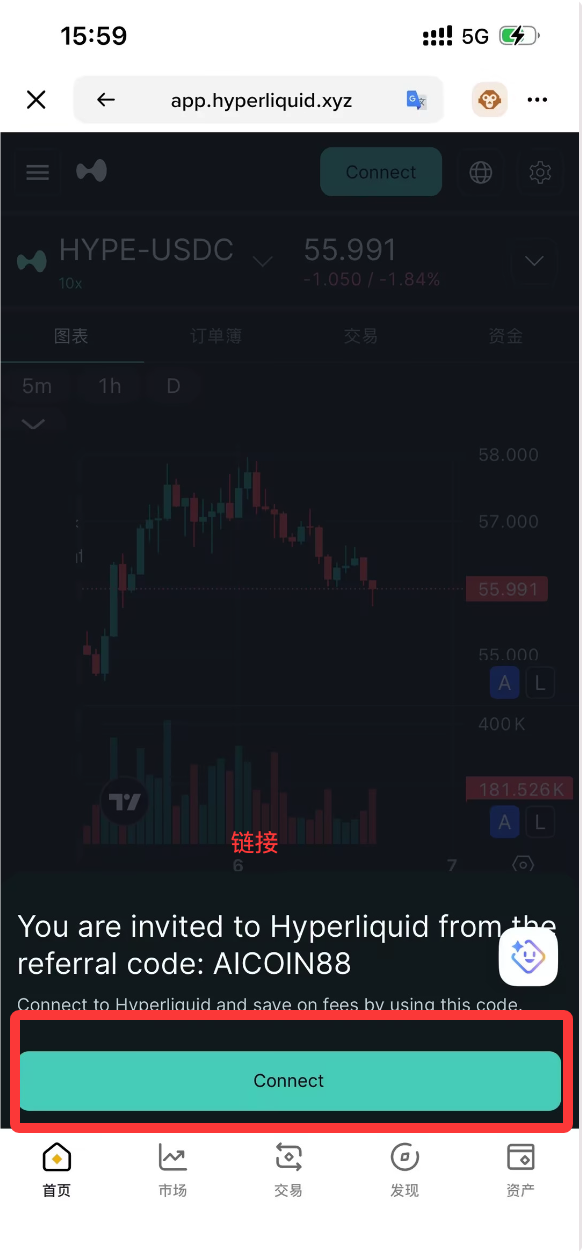
1. A prompt will pop up at the bottom of the page: "You are invited to Hyperliquid from the referral code: AICOIN88." Click the green 【Connect】 button.

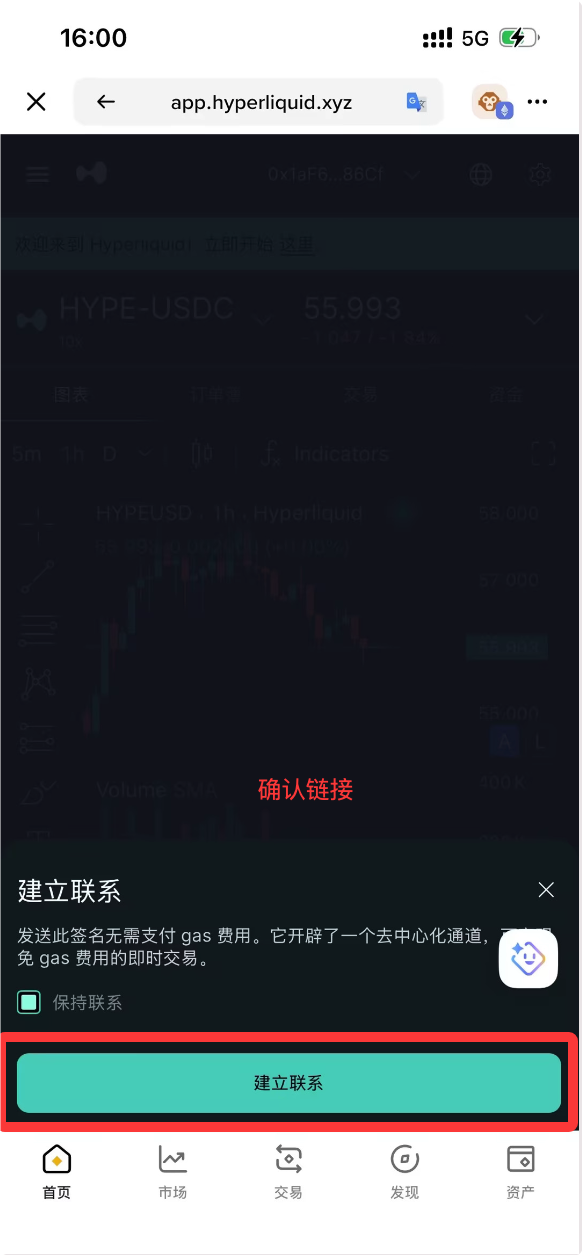
2. This will prompt the Binance wallet's signature confirmation window. Check "Stay Connected" and then click 【Establish Connection】. (*Note: This signature is for identity verification only, no Gas fees are required*)

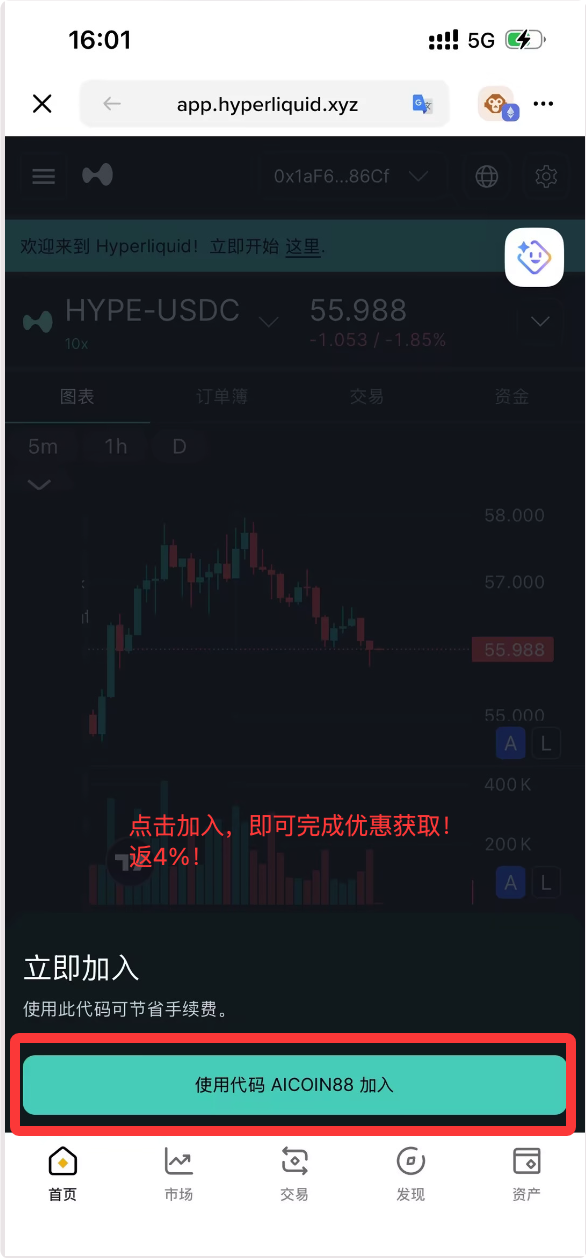
3. After the signature is completed, the bottom of the page will change to the green 【Join using code AICOIN88】 ** button. ** Be sure to click this button!
4. After clicking, congratulations! You have successfully completed the benefit acquisition and will enjoy a 4% commission rebate.
Why Must You Bind This Rebate?
On Hyperliquid, whether trading native crypto assets or participating in pre-market trades of RWA tech stocks like Changxin Technology and Yushu Robotics, transaction fees can represent a significant hidden expense. Especially when using high leverage or frequently executing TWAP orders, the accumulation of fees can significantly erode your profits.
Now, your wallet is successfully connected, and the benefits are in place. Open AiCoin, keep an eye on your desired targets, and start your on-chain sniper journey!
Disclaimer: This article represents only the personal views of the author and does not represent the position and views of this platform. This article is for information sharing only and does not constitute any investment advice to anyone. Any disputes between users and authors are unrelated to this platform. If the articles or images on the webpage involve infringement, please provide relevant proof of rights and identity documents and send an email to support@aicoin.com. The relevant staff of this platform will conduct an investigation.